An order flow indicator for MotiveWave, event by event.
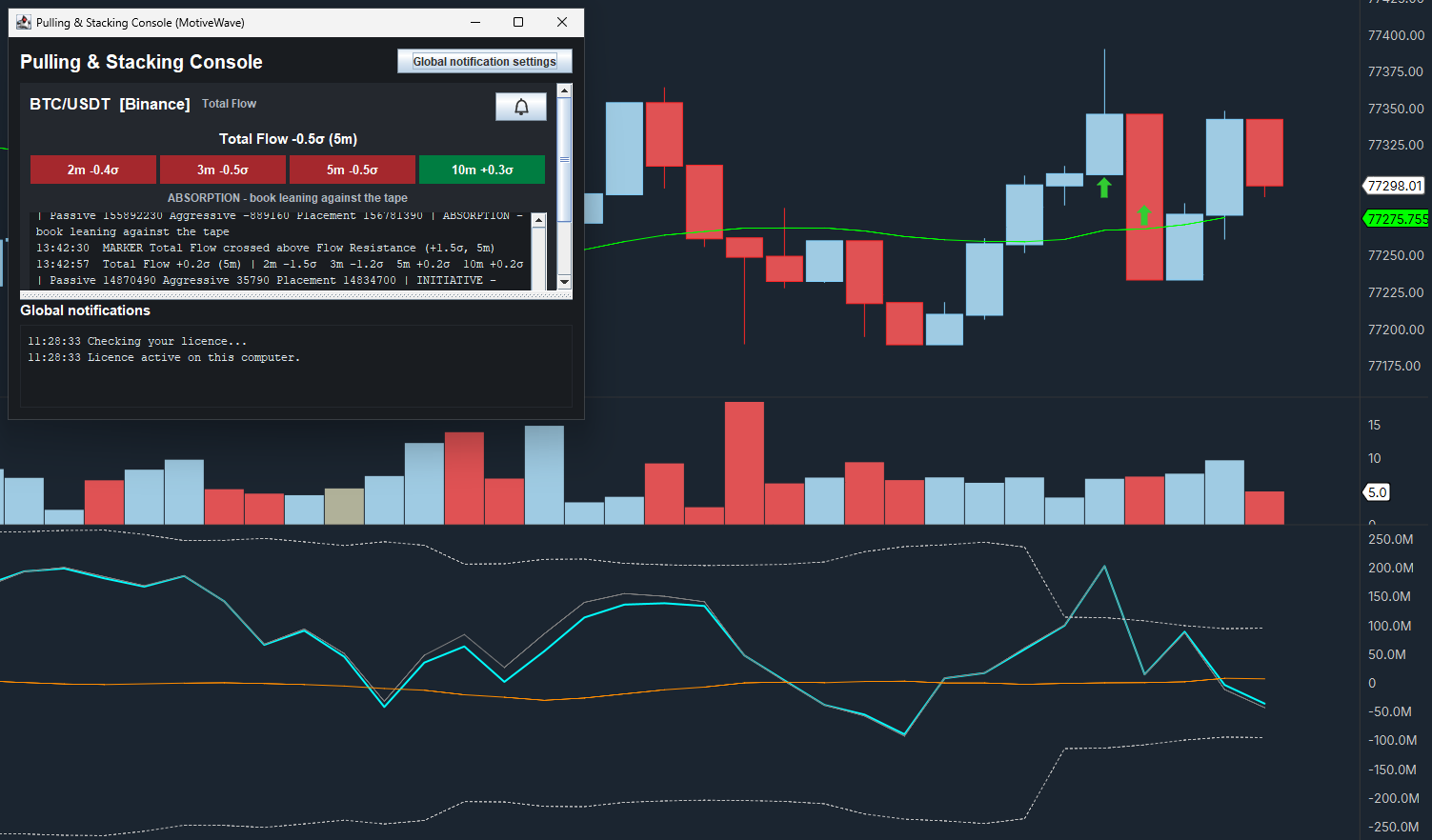
The Pulling & Stacking Indicator is an order flow study for MotiveWave. It decomposes every resting order stacked or pulled in the order book (the depth of market), and every aggressive execution, into one normalized signal, drawn in its own panel under the price chart.

Official platform website: MotiveWave®
What it adds to MotiveWave
Flow under the price
Total Flow, Passive Flow and Aggressive Flow update on every order book change and every trade, with no smoothing and no lagging average. Arrows on the price chart mark the moments the flow crosses its band.
Buy and sell lines
Switch to Buy / Sell mode to plot buy-side and sell-side flow as separate lines, so one side going vertical while the other flatlines is visible instead of netted away.
The console
The Pulling & Stacking Console opens in a window of its own, with one tile per instrument, so you can follow several charts in one place.
Install
Install in short
Download the MotiveWave zip from your Sigmantra account and unzip it. In MotiveWave choose Study > All Studies, click Import, then Add, select PullingAndStackingIndicator.jar and click Import. Add it to a chart from Study > Sigmantra > Pulling & Stacking Indicator, accept the Terms and Conditions, then enter your licence key in the indicator settings. When you import a new version over an older one, restart MotiveWave: the old version stays loaded until then.
Requirements
- MotiveWave 7.1 or later.
- A data connection with Level 2 market depth (the order book) and trades for the instrument. Level 1 is not enough.
- An internet connection while the indicator runs, to confirm the licence (see the indicator privacy policy).
- One licence key works on one computer at a time.
Replay
Live data only: MotiveWave replay is not supported. The indicator measures the live order book from the moment you add it, and it does not fill in the history already on the chart.